
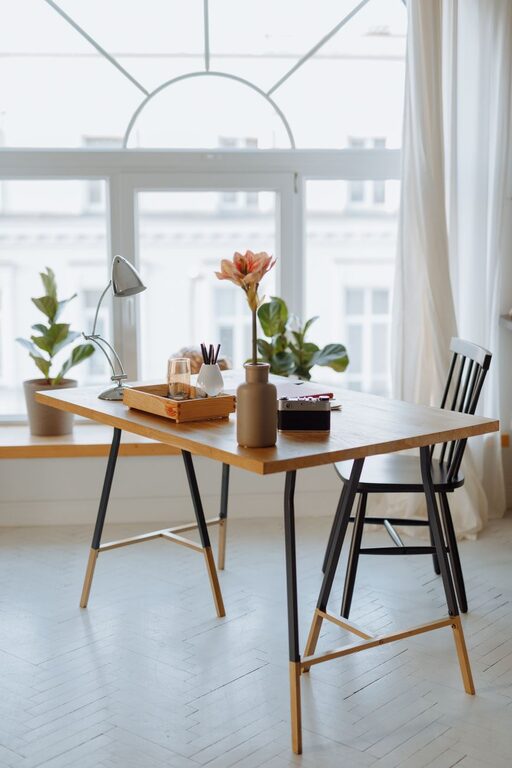
Creating a cozy and functional home workspace is essential for anyone working remotely or spending significant time on projects at home. A well-designed workspace can boost productivity, reduce stress, and make your workday more enjoyable. Here are tips to help you build a space that meets your needs and feels inviting.
Choose the Right Location
The first step in setting up your home workspace is picking the right spot. Ideally, choose a quiet area with minimal distractions where you can focus easily. If you don’t have a dedicated room, consider:
– A corner in the living room or bedroom
– A section near a window for natural light
– A nook under the stairs or in an alcove
Make sure the area has sufficient electrical outlets for your devices and easy access to your internet connection.
Invest in Ergonomic Furniture
Comfort is key when you’ll be spending hours working daily. Ergonomic furniture supports good posture, prevents discomfort, and improves focus.
– Desk: Pick a desk that suits your height and offers enough surface area for your computer, notebooks, and other essentials.
– Chair: Choose an adjustable chair with proper lumbar support. Sitting comfortably reduces fatigue and the risk of back pain.
– Adjustable options: Consider standing desks or desk converters that allow switching between sitting and standing during the day.
Prioritize Lighting
Good lighting reduces eye strain and keeps energy levels up. Natural light is best, so position your desk near a window if possible.
– Use adjustable desk lamps with warm or neutral light to brighten your workspace.
– Avoid harsh overhead lighting or glare on screens.
– Consider adding light-diffusing curtains to control direct sunlight.
Keep It Organized
Clutter can distract and stress you out, so organizing your workspace is important.
– Use storage solutions like shelves, filing cabinets, or desk organizers.
– Keep frequently used items within arm’s reach.
– Regularly declutter to maintain a tidy area.
– Use cable management tools to keep cords neat and out of sight.
Personalize Your Space
Adding personal touches makes your workspace feel inviting and inspiring.
– Decorate with plants, artwork, or photos that make you happy.
– Choose a color scheme that promotes calmness and concentration, like soft blues, greens, or neutrals.
– Incorporate cozy elements such as a plush rug, throw blanket, or cushions.
Minimize Distractions
To stay productive, try to limit distractions in your workspace.
– Use noise-cancelling headphones if background noise is an issue.
– Set clear boundaries with family or roommates about your work hours.
– Turn off non-essential notifications on your devices during work time.
Maintain Good Air Quality
A fresh and comfortable environment supports better focus and well-being.
– Open windows to let in fresh air when weather permits.
– Include an air purifier or some indoor plants to improve air quality.
– Avoid placing your workspace near sources of strong odors or drafts.
Use Technology Wisely
Equip your workspace with tools that improve efficiency without adding clutter.
– Invest in reliable internet, a quality monitor, and a comfortable keyboard and mouse.
– Use apps and software that help you stay organized and on task.
– Backup your work regularly with cloud storage or an external drive.
Take Breaks and Move Around
Even the coziest workspace can become tiring if you stay seated for long periods.
– Follow the 20-20-20 rule: every 20 minutes, look at something 20 feet away for 20 seconds.
– Stand, stretch, or take short walks during breaks.
– Use reminders or apps to encourage regular movement.
—
Designing a cozy and functional home workspace takes some thought, but the payoff is a pleasant area that supports your work habits. By choosing the right location, investing in ergonomic furniture, organizing your space, and adding personal touches, you’ll create a spot that helps you be your best every day. Remember to adjust your setup as needed and listen to what helps you stay comfortable and focused. Happy working!