
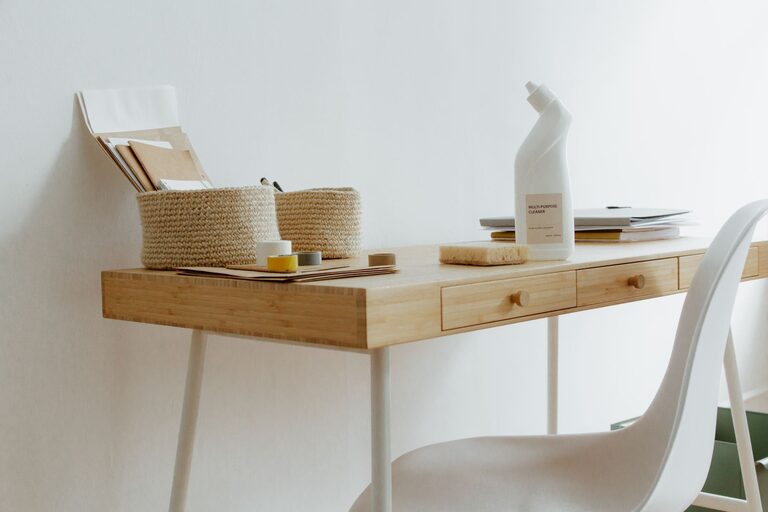
Creating a clutter-free home office is essential for maintaining focus and increasing productivity. Whether you’re working remotely full-time or occasionally need a quiet place for tasks, an organized workspace makes your workday smoother and less stressful. If your desk is currently overwhelmed with papers, gadgets, and random items, don’t worry—there are plenty of practical ways to get your home office organized and clutter-free.
Why a Clutter-Free Home Office Matters
A messy workspace can distract you and make it harder to find important documents or tools. On the other hand, a clean and organized environment helps reduce stress, improves your workflow, and creates a positive space to work in.
Step 1: Declutter and Sort
Before organizing, start by clearing everything off your desk and nearby surfaces.
– Sort items into categories: paperwork, office supplies, electronics, personal items, and trash.
– Discard or recycle: toss anything broken, outdated, or no longer needed.
– Create a keep pile: items you use regularly or have a specific place for.
– Consider digital alternatives: reduce paper clutter by scanning important documents and saving them on your computer or cloud storage.
Step 2: Plan Your Workspace Layout
An effective home office setup depends on functionality and comfort.
– Position your desk wisely: place it near natural light if possible, facing a wall or window that doesn’t distract.
– Choose ergonomic furniture: consider a supportive chair and a desk at the right height.
– Organize by frequency of use: keep items you use daily within arm’s reach, and store less-used objects elsewhere.
Step 3: Use Storage Solutions
Storage plays a key role in maintaining a clutter-free office.
– Desk organizers: trays and small containers help keep pens, paper clips, and sticky notes orderly.
– Drawers: designate drawers for different categories (e.g., stationery, chargers).
– Shelves and cabinets: use vertical space to store binders, books, and files.
– Labeling: label boxes, folders, and drawers to quickly identify contents.
Step 4: Manage Cable Clutter
Cables can quickly create a mess around your desk.
– Use cable clips or ties: secure cords to the back or underside of your desk.
– Cable boxes: hide surge protectors and excess wires.
– Wireless devices: consider wireless keyboards, mouse, and headphones to reduce cable numbers.
Step 5: Keep Paperwork Under Control
Paper is one of the biggest contributors to clutter.
– Go digital: whenever possible, switch to digital documents and use apps for notes and to-do lists.
– Set up an inbox: designate a tray or file holder for incoming papers that need your attention.
– Regularly file or shred: schedule time weekly or monthly to file important documents and shred what you don’t need.
Step 6: Add Personal Touches Without Overcrowding
A welcoming office inspires creativity, but too many decorations can lead to clutter.
– Choose a few meaningful items: a plant, a photo frame, or a small piece of artwork.
– Use multifunctional decor: a pretty box that also stores supplies.
– Keep surfaces mostly clear: let your desk be a clean workspace with limited distractions.
Step 7: Establish Daily and Weekly Routines
Consistency is key to maintaining organization over time.
– End-of-day tidy: take five minutes before finishing work to put away supplies and clear your desk.
– Weekly clean-up: dedicate time each week to more thorough organization like filing papers and dusting.
Bonus Tips for Staying Organized
– Use apps and reminders: tools like calendar alerts and task lists can keep you on track.
– Inventory regularly: know what supplies you have to avoid duplicates.
– Set boundaries: keep work items in your office space only to avoid spreading clutter around the home.
Conclusion
Organizing a clutter-free home office doesn’t happen overnight, but with these practical tips, you can create a space that supports your work and keeps distractions to a minimum. Start with decluttering, then invest in smart storage, and maintain your setup with simple routines. A neat home office is not just about neatness—it’s about creating an environment where you can focus and thrive.